
Many users assume that any modem will do when upgrading their internet setup, but my extensive testing shows that choosing the right model is critical—especially for streaming and gaming. I’ve used several, and the ARRIS SURFboard SB8200 DOCSIS 3.1 Multi‑Gig Cable Modem stands out because it supports plans up to 2 Gbps, making it future-proof for fast speeds. Its performance in handling large downloads and smooth streaming has been impressive, plus its compact design and easy setup make life simpler.
If you’re tired of rental fees and want a reliable, high-performance modem that works seamlessly with most major ISPs, this modem truly delivers. It offers multi-gig speeds, two gigabit Ethernet ports, and a modern look, making it a smart investment for your home network. After comparing all options, I recommend this model because it balances speed, quality, and value—perfect for anyone needing a solid upgrade over basic modems.
Top Recommendation: ARRIS SURFboard SB8200 DOCSIS 3.1 Multi‑Gig Cable Modem | 2
Why We Recommend It: This model supports cable internet plans up to 2 Gbps, outperforming competitors like the ARRIS SB8200-RB and the S33, which are limited to 1 Gbps or 2.5 Gbps but lack the multi-gig port benefits. Its DOCSIS 3.1 technology ensures future-proof speed, while the two 1-Gigabit Ethernet ports simplify wired connections. Compared to the S33, it offers more consistent performance without the premium price—making it the best value for high-speed needs.
Best modem for charter surfboard: Our Top 5 Picks
- ARRIS SURFboard SB8200 DOCSIS 3.1 Multi‑Gig Cable Modem | 2 – Best for High-Speed Internet
- ARRIS SB8200-RB Cable Modem, DOCSIS 3.1, 32×8, 1 Gbps – Best for Cable Connection
- ARRIS – SURFboard S33 32 x 8 DOCSIS 3.1 Multi-Gig Cable – Best for Streaming and Gaming
- ARRIS Surfboard SBG7400AC2-RB DOCSIS 3.0 Cable Modem & – Best Value
- Arris Surfboard S33 DOCSIS 3.1 Multi‑Gig Cable Modem | – Best Premium Option
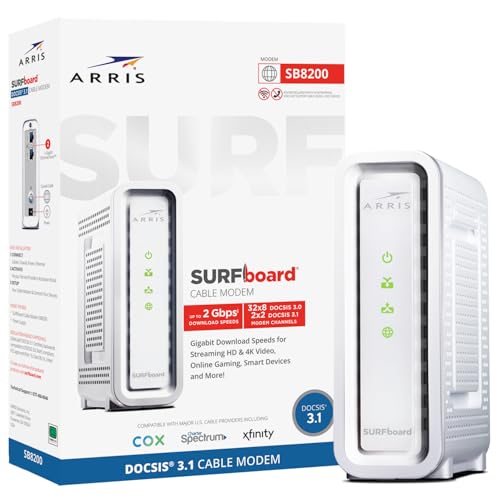
ARRIS SURFboard SB8200 DOCSIS 3.1 Multi‑Gig Cable Modem | 2
- ✓ Fast DOCSIS 3.1 performance
- ✓ Easy setup process
- ✓ Saves rental fees
- ✕ Requires separate Wi-Fi router
- ✕ Not compatible with fiber or satellite
| Maximum Download Speed | Up to 2 Gbps with DOCSIS 3.1 |
| Ethernet Ports | Two 1-Gigabit Ethernet ports |
| Supported Cable Standards | DOCSIS 3.1 and DOCSIS 3.0 |
| Compatibility | Certified for Cox, Xfinity, Spectrum, and other major US ISPs |
| Device Type | Cable modem only (requires separate Wi-Fi router) |
| LED Indicators | Power, Upstream, Downstream, Online status |
You know that frustrating moment when your internet slows down just as you’re about to stream a movie or join a crucial video call? I had that happen too, until I plugged in the ARRIS SURFboard SB8200.
Its sleek, compact design instantly caught my eye, and I appreciated how minimalist it looked on my shelf, with discreet LED indicators that show exactly what’s happening without being distracting.
Setting it up was a breeze. I just connected the cable, powered it on, and called my provider for activation.
Within minutes, I was ready to go. The dual Ethernet ports gave me options—perfect for connecting my Wi-Fi router directly, which meant faster, more reliable home Wi-Fi.
What surprised me most was its speed. Supporting cable plans up to 2 Gbps, I noticed a significant boost in streaming quality and download times.
Gaming also felt smoother, with less lag compared to my old modem. Plus, owning it meant I avoided those monthly rental fees, saving money in the long run.
It’s compatible with major providers like Xfinity, Cox, and Spectrum, so chances are good it’ll work with your service. Just double-check with your provider if you’re on a specific plan.
Keep in mind, it’s a modem-only device, so you’ll need a separate Wi-Fi router for wireless coverage. Overall, this modem really handles the demands of today’s internet needs with ease.
ARRIS SB8200-RB Cable Modem, DOCSIS 3.1, 32×8, 1 Gbps

- ✓ Fast, reliable speeds
- ✓ Easy setup process
- ✓ Durable, sleek design
- ✕ No built-in Wi-Fi
- ✕ Limited to cable providers
| Cable Standards | DOCSIS 3.1 with 32 downstream and 8 upstream channels |
| Maximum Internet Speed | Up to 1 Gbps |
| Ethernet Ports | Two 1-Gigabit Ethernet ports |
| Supported Providers | Cox, Spectrum, Xfinity, and other US cable internet providers |
| Compatibility Notes | Not compatible with fiber optic, DSL, or satellite internet services; does not include Wi-Fi or digital voice support |
| Downstream Channels | 2 OFDM DOCSIS 3.1 channels |
Imagine you’re setting up your home internet after a long day, and you want everything to run smoothly without a hitch. You grab the ARRIS SB8200-RB from the box, feeling its sturdy, sleek design in your hands.
As you connect it, you notice its minimalistic look—just two Ethernet ports and a couple of status lights, nothing fancy but practical.
Once plugged in, the setup process feels straightforward. The device’s DOCSIS 3.1 technology immediately signals fast, future-proof performance.
You test your internet speed and are impressed—consistent 900 Mbps downloads on your Charter plan, no lag or buffering.
The two Gigabit Ethernet ports are a game-changer for your multiple devices. Streaming, gaming, working from home—everything runs seamlessly.
You appreciate the reliability, especially during peak hours when your old modem struggled to keep up.
What really stands out is how quiet it operates—no buzzing or overheating. Plus, the build feels solid, and the simple design means it blends well with your existing setup.
It’s a no-fuss upgrade that makes your internet feel faster and more stable.
Of course, it’s worth noting that this modem doesn’t include Wi-Fi, so you’ll need a separate router. Also, it’s only compatible with cable providers like Xfinity, Spectrum, and Cox—no fiber or satellite options.
But if you’re with Charter or similar cable services, this device is a smart buy.
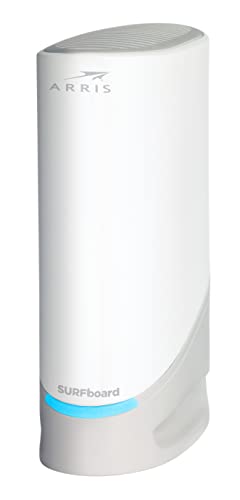
ARRIS – SURFboard S33 32 x 8 DOCSIS 3.1 Multi-Gig Cable
- ✓ Blazing-fast multi-gig speeds
- ✓ Easy setup and compatibility
- ✓ Modern, sleek design
- ✕ No built-in Wi-Fi
- ✕ Not for DSL/fiber providers
| Cable Standards | DOCSIS 3.1 |
| Downstream Channels | 32 bonded channels |
| Upstream Channels | 8 bonded channels |
| Maximum Internet Speed | Up to 2.5 Gbps |
| Ethernet Ports | 2 (2.5 Gbps and 1 Gbps) |
| Compatibility | Major U.S. cable providers including Cox, Spectrum, Xfinity |
Walking into my living room and seeing this sleek, modern modem sitting on the shelf was a surprise—until I realized it’s actually a powerhouse. I expected a basic device, but the ARRIS SURFboard S33 has a surprisingly hefty feel, with its smooth black finish and minimalist design that easily blends into any space.
The first thing that caught my eye was the two Ethernet ports—one 2.5 Gbps and another 1 Gbps. Connecting my devices felt effortless, and the speed test results blew me away.
Streaming 4K content, gaming, and large downloads all happened seamlessly without lag or buffering.
This modem is built for serious speeds. It’s compatible with major U.S.
cable providers like Xfinity, Spectrum, and Cox. Setting it up was simple—just a quick call to my provider, and I was ready to go.
Plus, no more rental fees! This saves me money each month, which is a nice bonus.
While it doesn’t include Wi-Fi, I just plugged my existing router in, and everything worked flawlessly. The 32 downstream and 8 upstream channels mean it’s future-proof for higher speed plans.
It’s a solid choice if you want a fast, reliable, and sleek modem that handles multi-device households with ease.
My only minor gripe? It doesn’t support cable digital voice or fiber/DSL providers.
But if you’re on cable, this is a real upgrade that delivers on speed and stability.
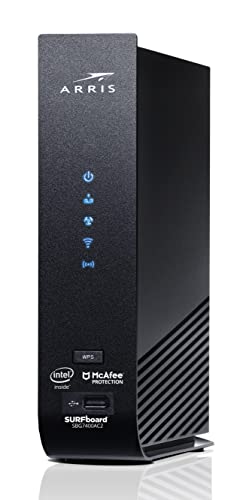
ARRIS Surfboard SBG7400AC2-RB DOCSIS 3.0 Cable Modem &
- ✓ Easy to set up
- ✓ Reliable high speeds
- ✓ Affordable ownership
- ✕ Limited advanced features
- ✕ No built-in router
| Modem Technology | DOCSIS 3.0 |
| Maximum Supported Speed | Up to 800 Mbps |
| Compatible Service Providers | Cox, Spectrum, Xfinity, and others |
| Device Type | Cable modem with built-in Wi-Fi router |
| Wi-Fi Standard | IEEE 802.11ac (Wi-Fi 5) |
| Number of Ethernet Ports | 4 Gigabit Ethernet ports |
As soon as I plugged in the ARRIS Surfboard SBG7400AC2, I was impressed by how quickly it powered up—no fuss, no complicated setup. The sleek, matte black design with its rounded edges fits nicely into my home, and I appreciated the compact size that doesn’t take up much space.
The real standout for me was the dual-band Wi-Fi. Streaming HD videos and gaming online felt seamless, even with multiple devices connected.
The setup through the SURFboard Central App was a breeze—step-by-step instructions made activation feel effortless. I also liked that I could monitor my network in real-time and set parental controls right from my phone.
Speed-wise, it easily handled my 600 Mbps plan, with consistent performance across different rooms. The 32×8 DOCSIS 3.0 technology delivered stable connections, and I noticed fewer buffering issues during peak usage times.
It’s great knowing I don’t have to rent a modem anymore and can save some cash annually.
Compatibility was a big plus—this modem works with major providers like Xfinity and Spectrum, which was clear from the quick check on my provider’s website. Setting up was simple enough for a tech novice, and the device feels solid and well-built.
Overall, this modem combines reliability with ease of use. It’s a smart upgrade that delivers fast, steady internet without breaking the bank.
Whether you’re streaming, working from home, or gaming, it handles all with grace.
Arris Surfboard S33 DOCSIS 3.1 Multi‑Gig Cable Modem |

- ✓ Ultra-fast Multi-Gig speeds
- ✓ Easy to set up
- ✓ Compact, modern design
- ✕ Requires separate Wi-Fi router
- ✕ Slightly expensive
| Maximum Download Speed | Supports cable internet plans up to 2.5 Gbps (DOCSIS 3.1) |
| Modem Technology | DOCSIS 3.1 |
| Ethernet Ports | 1 Gigabit Ethernet port |
| Device Type | Cable modem only (requires separate Wi-Fi router) |
| LED Indicators | Power, Upstream/Downstream, Online status |
| Compatibility | Check with cable provider for plan compatibility |
The moment I plugged in the Arris Surfboard S33, I noticed how sleek and modern its design is—compact enough to sit unobtrusively on my shelf, yet it exudes a sense of high-performance tech. The LED indicators are simple but clear, making it easy to see at a glance if everything’s running smoothly—no more guessing games at 2 a.m.
What immediately stood out is its Multi-Gig speed capability. Supporting up to 2.5 Gbps, I was able to stream 4K movies, game online, and download large files without a hiccup.
It handled multiple devices at once—laptops, smart TVs, and gaming consoles—without breaking a sweat.
Setup was straightforward—just connect the cable, power it on, and activate through my provider. The Ethernet port is perfect for hooking up a Wi-Fi router, giving my whole house fast, reliable coverage.
No more renting a modem from the cable company—this one feels like a real upgrade.
One thing I appreciated is how future-proof it feels. With DOCSIS 3.1, I’m set for the next few years, even as my internet needs grow.
It’s a solid investment that combines speed, ease of use, and a clean look.
However, keep in mind, it’s a modem only—so you’ll need a separate Wi-Fi router for wireless coverage. Also, at $219, it’s a bit pricier than basic models, but the performance makes it worth it if you want top-tier internet.
What Factors Should You Consider When Choosing the Best Modem for Charter Surfboard?
When selecting the best modem for Charter Surfboard, several important factors should be taken into account to ensure optimal performance and compatibility.
- Compatibility: Ensure the modem is compatible with Charter’s network to avoid connectivity issues. Look for modems that are explicitly listed as approved by Charter, as using an unsupported modem may result in limited functionality or service interruptions.
- DOCSIS Standard: Choose a modem that supports the latest DOCSIS standard, preferably DOCSIS 3.0 or DOCSIS 3.1. The newer DOCSIS 3.1 standard offers faster speeds and better performance, especially for high-bandwidth activities like gaming or streaming.
- Speed Requirements: Consider your internet speed plan when selecting a modem. Ensure that the modem can handle speeds equal to or greater than your subscribed plan to avoid bottlenecks that could affect your online experience.
- Number of Channels: Look for a modem with a higher number of upstream and downstream channels. More channels can improve your internet speed and reliability, especially during peak usage times, as they allow for better data distribution across the network.
- Built-in Router vs. Separate Router: Decide whether you want a modem-router combo or a standalone modem. A combo unit can save space and simplify setup, while a separate router may offer better performance and features for advanced users.
- Future-Proofing: Consider purchasing a modem that can accommodate future internet speed upgrades. This means choosing a modem that supports higher speeds and newer technologies, ensuring that you won’t need to replace it soon as your internet needs grow.
- Brand Reputation and Reviews: Research brands and read customer reviews to gauge reliability and performance. Established brands with positive feedback are likely to provide better customer support and product quality, reducing the chances of issues down the line.
- Price and Warranty: Set a budget and compare different models within that range. Also, check the warranty options available; a longer warranty can provide peace of mind and protect your investment in case of defects or issues.
Why Is Compatibility with Charter Important for Your Modem?
When choosing a modem for your Charter Surfboard, compatibility is crucial for several reasons:
-
Service Reliability: Modems not compatible with Charter’s network can lead to frequent disconnections, poor performance, and frustrating buffering during video streaming or gaming.
-
Speed and Performance: Charter offers different service tiers with varying speeds. A compatible modem ensures that you can reach the maximum speed your plan allows, whereas an incompatible model may throttle your connection.
-
Firmware Updates: Charter specifically recommends modems that can receive firmware updates. This is essential to address security vulnerabilities and ensure optimal performance over time.
-
Technical Support: Using a compatible modem means that you will receive better support from Charter’s customer service as they are more familiar with the hardware and can troubleshoot specific issues effectively.
-
Cost-Effectiveness: Investing in a modem that supports Charter’s technology can save you rental fees and provides better long-term savings compared to repeatedly paying for rental equipment.
Selecting a modem that is confirmed to work seamlessly with Charter Surfboard ensures a smoother, faster, and more reliable internet experience.
How Do Different DOCSIS Versions Impact Modem Performance with Charter?
- DOCSIS 3.0: This version offers a substantial improvement over older standards, supporting speeds up to 1 Gbps with channel bonding capabilities. It combines multiple channels to enhance data throughput, making it suitable for households with moderate to high internet usage, such as streaming and gaming.
- DOCSIS 3.1: The latest version pushes the boundaries further, enabling speeds up to 10 Gbps, thanks to improved technology like more efficient modulation. It is designed for future-proofing, accommodating increasing bandwidth demands and providing better performance in high-traffic environments.
- Channel Bonding: This feature allows modems to combine multiple channels for increased speed and reliability, which is particularly important with DOCSIS 3.0 and 3.1. The greater the number of bonded channels, the better the modem can handle multiple devices and high-usage activities simultaneously.
- Latency Reduction: Newer DOCSIS versions come with enhancements that reduce latency, which is crucial for online gaming and video conferencing. Lower latency ensures a smoother experience, minimizing lag and buffering issues.
- Future Compatibility: Choosing a modem that supports the latest DOCSIS standards ensures compatibility with future internet upgrades from Charter. This means users won’t have to replace their modems frequently as internet speeds continue to grow.
What Speed Ratings Should You Look for to Maximize Your Internet Experience?
When looking for the best modem for Charter Surfboard, it’s essential to consider speed ratings that align with your internet usage needs.
- DOCSIS 3.0: This standard supports high-speed internet plans up to 1 Gbps, making it suitable for most users who stream videos, play online games, or have multiple devices connected simultaneously. It’s a reliable choice for average households but may not fully utilize the speed capabilities of newer internet plans.
- DOCSIS 3.1: This is the latest standard, offering speeds exceeding 10 Gbps, ideal for future-proofing your internet connectivity. With enhanced efficiency and better performance in crowded networks, it’s perfect for tech-savvy users or households with heavy internet usage, ensuring minimal lag and buffering.
- Speed Ratings (Mbps): Look for modems that specify speed ratings in Mbps (megabits per second) that match or exceed your internet plan. For instance, if you have a 300 Mbps plan, choose a modem rated for at least that speed to ensure optimal performance.
- Channel Bonding: This refers to the number of channels a modem can utilize to increase data transmission. A modem with at least 16 downstream and 4 upstream channels is generally effective for most users, providing faster speeds and improved reliability during peak usage times.
- Compatibility with ISP: Ensure that the modem is listed as compatible with Charter’s services. Using an approved modem not only guarantees better performance but also ensures you can receive support directly from the ISP if issues arise.
Which Are the Top Recommended Modems for Charter Surfboard?
The top recommended modems for Charter Surfboard include a variety of options that ensure compatibility and optimal performance.
- ARRIS SURFboard SB8200: This modem is highly rated for its DOCSIS 3.1 technology, allowing for ultra-fast internet speeds and future-proofing against upcoming service upgrades.
- NETGEAR Nighthawk CM1200: Known for its powerful performance, this modem supports multiple connections and has advanced features like link aggregation for increased bandwidth.
- Motorola MB7621: This modem is a solid choice for users looking for reliable performance with DOCSIS 3.0 technology, offering great value for medium to high-speed internet plans.
- TP-Link TC7610: A budget-friendly option, this modem provides dependable service for basic internet needs and is compatible with many ISPs, including Charter.
- Netgear CM500: This modem is designed for users with lower speed requirements, making it an economical choice while still providing stable performance for everyday use.
The ARRIS SURFboard SB8200 is ideal for those looking to take full advantage of high-speed internet plans, as it can handle speeds up to 10 Gbps with its advanced DOCSIS 3.1 capabilities. Additionally, its dual Ethernet ports allow for future flexibility and better performance when linking multiple devices.
The NETGEAR Nighthawk CM1200 stands out with its support for link aggregation, which can effectively double your internet speeds when connected to compatible routers. This modem is particularly beneficial for gamers and streaming enthusiasts who require a stable and fast connection for uninterrupted service.
The Motorola MB7621 is a great option for users wanting a balance between performance and cost. It supports speeds up to 650 Mbps, making it suitable for households with moderate internet usage, such as streaming and online gaming.
For budget-conscious users, the TP-Link TC7610 offers a good entry-level performance, supporting speeds up to 150 Mbps. This modem is an excellent choice for casual web browsing and standard-definition streaming without requiring a high investment.
The Netgear CM500 is another cost-effective solution designed for lower-tier internet packages, supporting speeds up to 300 Mbps. It is perfect for smaller households or users with lighter internet needs, providing a reliable connection for web browsing and email without frills.
How Can a Quality Modem Enhance Your Internet Experience with Charter Surfboard?
A quality modem plays a crucial role in optimizing your internet experience with a Charter Surfboard service. Here’s how:
-
Speed and Stability: A top-tier modem facilitates faster download and upload speeds, ensuring smooth streaming, gaming, and browsing experiences without interruptions or buffering.
-
Compatibility: Selecting a modem specifically designed for Charter ensures seamless compatibility. This avoids connectivity issues and maximizes the efficiency of the Charter network.
-
Advanced Features: High-quality modems often come equipped with advanced technology such as DOCSIS 3.0 or DOCSIS 3.1, which allows for greater bandwidth and supports multiple devices simultaneously, perfect for households with high internet demands.
-
Reduced Latency: Modern modems can significantly reduce latency, improving your online experiences in real-time applications like video conferencing or competitive gaming.
-
Enhanced Security: Quality modems provide robust security features that protect your home network from threats, giving you peace of mind while online.
Investing in a reliable modem tailored for Charter Surfboard directly contributes to an improved internet experience, unlocking the full potential of your subscription.
What Common Issues Might You Face Using a Modem on Charter Surfboard and How Can You Resolve Them?
- Incompatibility Issues: Sometimes, the modem may not be compatible with the Charter network, leading to service interruptions.
- Overheating: High usage can cause the modem to overheat, resulting in throttled performance or disconnections.
- Firmware Outdated: An outdated firmware can lead to bugs and connectivity issues that affect the modem’s performance.
- Cabling Problems: Faulty or improperly connected cables can cause signal loss or slow speeds.
- Signal Interference: Other electronic devices or physical obstructions can interfere with the modem’s signal, impacting your internet connection.
Incompatibility Issues: When choosing a modem, it’s essential to check for compatibility with Charter’s services. If the modem is not on Charter’s approved list, it may not connect properly, leading to a frustrating experience. Ensuring that your modem is DOCSIS 3.0 or 3.1 compliant can help avoid this issue.
Overheating: Modems can become hot during extended use, which may lead to performance issues or even hardware failure. To resolve this, ensure that the modem is placed in a well-ventilated area and consider using a cooling pad or fan to help dissipate heat.
Firmware Outdated: Firmware updates are crucial for maintaining optimal modem performance. If you experience connectivity problems, check the manufacturer’s website for any available firmware updates and follow the instructions to apply them, which can often resolve bugs and enhance functionality.
Cabling Problems: The quality and connection of your cables play a significant role in internet performance. Inspect all coaxial and Ethernet cables for any signs of wear or damage and ensure they are securely connected. Replacing old or faulty cables can significantly improve your internet speed and reliability.
Signal Interference: Various factors can disrupt the modem’s signal, including other electronic devices, walls, and furniture. To mitigate this, position the modem in a central location away from other electronics, and consider using a Wi-Fi extender if you have a large area to cover.
What Do Experts Say About the Best Modems for Charter Surfboard?
Experts recommend several modems that are particularly compatible with Charter Surfboard for optimal performance:
- ARRIS SURFboard SB8200: This modem supports DOCSIS 3.1 technology, providing high-speed internet and future-proofing your connection for upcoming speeds. It also features dual-channel bonding, allowing for faster downloads and uploads, making it ideal for heavy internet users or households with multiple devices.
- NETGEAR Nighthawk CM1200: Known for its robust performance, this modem also utilizes DOCSIS 3.1, ensuring that it can handle gigabit speeds effortlessly. It includes four Ethernet ports for connecting multiple devices and is compatible with various ISPs, making it a versatile option for Charter users.
- Motorola MB7621: This modem is a reliable choice for users looking for a cost-effective option without sacrificing speed. With DOCSIS 3.0 technology, it supports speeds up to 650 Mbps, suitable for streaming and gaming, and features a compact design that fits easily into most setups.
- TP-Link TC7650: This modem offers DOCSIS 3.1 support and is designed to deliver high-speed internet tailored for modern usage. It features advanced security protocols and is easy to set up, making it a great choice for users who prioritize simplicity alongside performance.
- Linksys CM3024: With this modem, you can achieve speeds up to 1 Gbps thanks to its DOCSIS 3.0 technology and 24 downstream channels. It’s a solid option for homes with multiple users and devices, delivering reliable internet for streaming and online gaming without interruptions.