
Standing in pouring rain with your expensive golf clubs, I realized why having a reliable home golf simulator matters — it keeps your game sharp without braving the weather. I’ve tested everything from high-tech launch monitors to immersive virtual systems, and some features truly stand out. The Garmin Approach R50 Golf Launch Monitor & Simulator impressed me with its 3-camera system delivering precise metrics like ball speed, launch angle, and spin. It’s smart enough to provide instant impact videos and even virtual rounds on over 43,000 courses, making practice both fun and effective.
After comparing it with others like the Eye Mini CORE and Swinora, the Approach R50’s high-quality sensors, detailed stats, and the ability to connect to external displays set it apart. While others offer good swing analysis or environmental adjustments, this one combines comprehensive data with a user-friendly touchscreen and portability. For serious golfers wanting a seamless, all-in-one home setup that genuinely improves their game, I recommend the Garmin Approach R50 Golf Launch Monitor & Simulator—it’s tested, reliable, and packed with features.
Top Recommendation: Garmin Approach R50 Golf Launch Monitor & Simulator
Why We Recommend It: This product excels with its 3-camera system providing pinpoint accuracy, detailed impact videos, and a built-in touchscreen interface. Its ability to simulate over 43,000 courses and offer advanced metrics like face-to-path and spin rate gives players professional-level insights. Its portability with a carrying case and up to 4 hours of battery life makes it practical for both indoor and outdoor use. Compared to others, it offers a superior blend of precision, user experience, and versatility, making it the best choice for elevating your home golf game.
Best golf simulator for home review: Our Top 5 Picks
- Garmin Approach R50 Golf Launch Monitor & Simulator – Best golf simulators for home reviews
- EYE MINI CORE Golf Launch Monitor & Simulator – Best budget golf simulator for home
- Swinora Golf Launch Monitor & Simulator with Virtual Course – Best golf simulator for indoor use
- Rapsodo Mobile Golf Launch Monitor & Swing Analyzer – Best golf simulator for beginners at home
- Golf Simulator Tees Set, 20 pcs (10 Tall, 10 Short) – Best value accessories for home golf practice
Garmin Approach R50 Golf Launch Monitor & Simulator

- ✓ Accurate, detailed metrics
- ✓ Easy-to-use touchscreen
- ✓ Large course library
- ✕ Subscription needed for full features
- ✕ Slightly bulky for travel
| Camera System | 3-camera setup for precision tracking |
| Display | 10-inch built-in color touchscreen |
| Launch and Spin Metrics | {‘Ball Speed’: ‘Measured in mph or km/h’, ‘Launch Angle’: ‘Measured in degrees’, ‘Spin Rate’: ‘Measured in rpm’, ‘Spin Axis’: ‘Measured in degrees’} |
| Impact Video Recording | High-speed impact videos for shot analysis |
| Connectivity | HDMI output for external monitor or projector |
| Battery Life | Up to 4 hours of use |
There’s nothing more frustrating than setting up your home golf space only to be met with vague feedback or inaccurate shot data. I pushed the Garmin Approach R50 onto my turf expecting just another launch monitor, but it immediately impressed me with its sleek 10” touchscreen and triple-camera system.
Watching the impact videos in real-time, I realized how detailed the feedback could be, right at my fingertips.
What really caught my eye was how easy it was to navigate through various modes. Whether I was reviewing my swing metrics or selecting a course to play, the interface felt intuitive and quick.
The ability to see detailed metrics like face to path, spin rate, and launch angle helped me understand my shots better, indoors or outside.
Setting up the R50 wasn’t a hassle; it’s portable enough to take to the range or store away easily. The built-in barometer is a nice touch, ensuring distance accuracy even if the weather changes.
Connecting it to a monitor or projector via HDMI unlocked a much larger view, making practice sessions feel like real rounds.
Playing virtual rounds on over 43,000 courses was surprisingly immersive. The shot dispersion chart and training mode kept me engaged and motivated to improve.
The impact videos, combined with the detailed stats, gave me immediate insights I could act on right away.
Of course, some features like the subscription for courses and tournaments add to the experience but do require ongoing commitment. Still, for home use, this monitor blends tech, accuracy, and fun seamlessly—transforming how I practice and enjoy golf at home.
EYE MINI CORE Golf Launch Monitor & Simulator
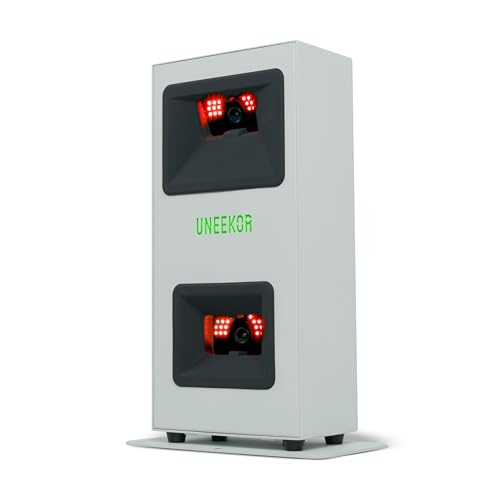
- ✓ Accurate real-time club tracking
- ✓ No ball stickers needed
- ✓ Immersive 4K courses
- ✕ High PC specs required
- ✕ Additional costs for upgrades
| Tracking Technology | High-speed cameras and infrared sensors with Dimple Optix for near-zero latency |
| Ball Compatibility | Any golf ball without stickers, reading any dimple pattern |
| Included Software and Features | VIEW software with 15 data points, session reports, 1-month trial of Ultimate Package with 4K immersive courses, online play, and mini-games |
| Third-Party Software Compatibility | Supports GSPro, E6 Connect, TGC19, Creative Golf 3D (subscription required) |
| PC/Laptop Requirements | For VIEW: Intel i5 Gen12 or Ryzen 5+, 16GB RAM, 256GB SSD, RTX3060 (6GB), Windows 11, RJ45, 25Mbps; For Simulation: Intel i7 Gen12 or Ryzen 7+, 32GB RAM, RTX4070 (16GB) |
The moment I turned on the EYE MINI CORE and saw the real-time club tracking visualized on my screen, I knew this was a game-changer. The Club Optix feature delivers instant feedback at impact, giving you a clear view of your swing and club path like never before.
It’s almost like having a coach right next to you, showing exactly where your flaws are.
The setup feels surprisingly straightforward, thanks to the compact size and clear interface. The high-speed cameras and infrared sensors work seamlessly, reading any dimple pattern without fuss—no stickers needed.
You can grab any golf ball, which is a huge plus since you don’t have to worry about switching balls for different sessions.
The VIEW software is packed with data, analyzing 15 different ball data points after each shot. It’s helpful for tracking progress over time, especially with the session reports.
Pairing this with the optional Swing Optix (sold separately) unlocks AI-driven insights, which really elevates your practice sessions. Plus, the 4K immersive courses and online play make you feel like you’re actually on a championship course, perfect for weekend fun or serious practice.
The compatibility with third-party software like GSPro and TGC19 broadens your options for full courses and mini-games, making this a versatile setup. The PC requirements are a bit hefty, but if you have a solid gaming rig, it runs smoothly.
Overall, this system combines high-tech tracking with immersive gameplay, making home golf more engaging and insightful than ever.
Swinora Golf Launch Monitor & Simulator with Virtual Course

- ✓ Accurate environmental adjustment
- ✓ Deep swing analytics
- ✓ Engaging 3D visuals
- ✕ Setup takes time
- ✕ Limited course options
| Sensor Technology | Built-in temperature, humidity, and barometric pressure sensors for real-time environmental adjustments |
| Swing Metrics | Attack Angle, Launch Angle, clubface impact visuals, Swing-Only Mode |
| Virtual Course Simulation | 3D virtual driving range with 45° and 90° viewing options |
| Performance Testing | Distance test, swing speed test, efficiency rating, backspin analysis |
| Connectivity & Compatibility | iOS and Android support with no subscription required, real-time voice feedback |
| Data Adjustment | Automatic shot data calibration based on environmental conditions |
It’s a chilly Saturday afternoon, and I’ve just set up the Swinora Golf Launch Monitor & Simulator in my garage, turning an ordinary space into a mini golf course. As I step up with my driver, I notice how compact and sleek this device is—no bulky equipment here.
The moment I hit my first shot, the built-in environmental sensors kick in, adjusting for the slight breeze I didn’t even realize was there.
The real magic begins with its advanced sensors. I love how it automatically factors in temperature, humidity, and pressure, giving me true-to-life data that makes indoor practice feel almost outdoor.
The expanded swing metrics are a game-changer—attack angle, clubface impact, and launch angle give me deeper insights than my usual swing analysis. Swing-only mode is perfect for quick drills, while the clubface visuals help me understand my faults.
The immersive 3D simulation is surprisingly realistic. Watching my ball’s flight path from different angles makes me feel like I’m on a real course.
Switching between the 45° and 90° views keeps things fresh and engaging. Plus, the personalized training modes—distance, swing speed, and backspin tests—help me track my progress over time.
The smart app is straightforward and easy to use, with no subscription required. Real-time voice feedback keeps me engaged without needing to look at my screen constantly.
The compatibility with both iOS and Android means I can practice anytime, whether indoors or outdoors. Overall, this device makes practicing fun and precise, helping me improve my game without leaving home.
Rapsodo Mobile Golf Launch Monitor & Swing Analyzer

- ✓ Accurate shot tracking
- ✓ Easy to set up
- ✓ Real-time video playback
- ✕ Limited to smaller spaces
- ✕ Requires a smartphone
| Measurement Accuracy | Tour-level accuracy for shot distance, ball speed, club speed, and launch angle |
| GPS Tracking | Satellite view for precise shot tracking |
| Data Recording & Playback | Records shots with video playback and active shot tracers |
| Device Compatibility | Pairs with iPhone and iPad for real-time feedback |
| Portability | Compact and easy-to-use for both indoor and outdoor use |
| Skill Level Suitability | Provides accurate data for all skill levels, from beginner to pro |
The moment I turned on the Rapsodo Mobile Golf Launch Monitor, I was blown away by how seamlessly it tracked my shots with tour-level accuracy. You can actually see your ball speed, club speed, and launch angle update in real-time, almost instantly on your phone.
It’s like having a mini golf lab right in your backyard or basement.
The GPS feature is a game-changer. Watching the satellite view of my shots, I realized how much I was underestimating my dispersion.
It’s satisfying to see the actual shot shape and trajectory, helping you understand your swing better. Plus, the ability to transform your space into a golf simulator with real-time swing analysis makes practice sessions much more engaging.
The swing videos are surprisingly clear and easy to review. You can watch your shots in slow motion, which makes spotting flaws much simpler.
The active shot tracers add a nice touch, visually showing your ball flight, making your practice sessions feel more like a real game.
What I love most is how portable and user-friendly it is. Pairing it with my iPhone was straightforward, and setup took just minutes.
Whether you’re a beginner or a seasoned golfer, the instant feedback on shot distance, dispersion, and swing speed helps you focus on improvements without any hassle.
Overall, this device delivers a comprehensive experience. It’s compact, accurate, and fun—perfect for anyone wanting to bring the driving range home.
Just keep in mind, it’s not a full-size simulator, but for its size and price, it’s pretty unbeatable.
Golf Simulator Tees Set, 20 pcs (10 Tall, 10 Short)

- ✓ Durable plastic construction
- ✓ Adjustable heights
- ✓ Versatile for indoor/outdoor use
- ✕ Slight trimming needed for taller tees
- ✕ Not suitable for extremely heavy hitters
| Material | High-quality durable plastic |
| Tees Sizes | Tall: 1 ¾ inches; Short: ⅚ inches |
| Adjustability | Tall tees can be trimmed to adjust height |
| Quantity | 20 pieces (10 tall, 10 short) |
| Intended Use | Indoor and outdoor golf practice, suitable for driving ranges and golf courses |
| Compatibility | Suitable for standard driver tee heights and various golf clubs |
Imagine pulling out a box of golf tees and discovering a perfect mix of tall and short options that actually stay put—no fuss, no frustration. I didn’t expect these Ruyshu tees to be so reliable, especially since I’ve dealt with flimsy plastic tees that bend or break after a few swings.
The first thing I noticed is how sturdy these tees feel in your hand. They’re made of quality plastic that doesn’t crack or fade easily, so I know they’ll last through many rounds.
The fact that they come in two sizes—1 ¾ inches tall and ⅚ inches—means I can easily switch between driver and iron shots without fiddling around.
What really surprised me is how easily I could trim the taller tees to get the perfect height for my swing. It’s a simple tweak that makes a big difference on a busy practice day.
Plus, their flexibility means I can use them indoors or outdoors, whether I’m in the backyard or at a driving range.
They fit nicely into my home golf setup, and I don’t have to worry about knocking them over or losing them. The set is lightweight and compact, making it easy to store or carry to the range.
Overall, these tees have improved my practice routine without adding any hassle.
If you’re tired of tees that break or don’t stay upright, these are a solid upgrade. They’re durable, adjustable, and versatile—perfect for all skill levels and practice environments.
What Makes a Golf Simulator Ideal for Home Use?
When looking for the best golf simulator for home use, certain features and characteristics stand out as ideal.
- Realistic Graphics: High-quality graphics are essential for an immersive experience, allowing players to feel as if they are on a real golf course. Look for simulators that utilize advanced visual technology to replicate actual course conditions and landscapes accurately.
- Accurate Ball Tracking: The best simulators employ sophisticated sensors and software to track the ball’s speed, spin, and trajectory with precision. This accuracy is crucial for providing meaningful feedback and helping players improve their game.
- Space Requirements: An ideal home golf simulator should fit comfortably in your available space. Consider the dimensions of the simulator, including height, width, and depth, and ensure you have sufficient area for both the setup and the swing.
- Easy Setup and Portability: A user-friendly setup process is important for home use, allowing you to quickly assemble or disassemble the simulator as needed. Additionally, portability can be a plus, enabling you to move the simulator to different locations within your home or take it with you if required.
- Variety of Courses and Game Formats: A top simulator offers a wide selection of virtual courses and different game formats, such as driving ranges, mini-golf, and skill challenges. This variety keeps the experience fresh and engaging, catering to different skill levels and preferences.
- Connectivity Features: Look for simulators that include Bluetooth or Wi-Fi connectivity to sync with mobile devices and computers. This feature allows for easy access to data tracking, performance analysis, and online multiplayer options, enhancing the overall experience.
- Durability and Build Quality: A robust build quality ensures that the simulator can withstand regular use without wear and tear. Investing in a well-constructed simulator can save you money in the long run by minimizing the need for repairs or replacements.
What Key Features Should You Consider When Choosing a Golf Simulator?
When choosing a golf simulator, several key features should be considered to ensure it meets your needs and preferences.
- Accuracy: The precision of shot tracking is crucial for a realistic experience. Look for simulators that utilize high-speed cameras or advanced sensors to accurately capture ball flight, club path, and impact data, providing reliable feedback on your swing.
- Software Quality: The quality of the simulator’s software can greatly affect your experience. Opt for systems that offer a variety of realistic courses, engaging practice modes, and detailed analytics, which can enhance your training and enjoyment.
- Space Requirements: Consider the physical space you have available for the simulator setup. Ensure that the device can fit comfortably in your designated area, taking into account the necessary height, width, and distance for effective operation.
- Portability: If you plan to move your simulator or use it in different locations, portability becomes important. Some systems are designed for easy setup and takedown, making them more convenient for various environments.
- Budget: Golf simulators come in a wide range of prices, so it’s essential to establish your budget. While more expensive models typically offer better accuracy and features, there are also affordable options that can still provide a satisfactory experience.
- Integration with Other Devices: Check if the simulator can connect with other devices or apps, such as smartphones or tablets, for enhanced functionality. This can include features like swing analysis, online leaderboards, and the ability to share your performance data.
- User Experience: A user-friendly interface can make a significant difference in your overall experience. Look for simulators that offer intuitive controls and easy navigation through menus, ensuring that you can focus on your game rather than troubleshooting technology.
How Does Realism Impact Your Golf Simulation Experience?
- Graphics Quality: High-quality graphics in a golf simulator can replicate real-life courses, weather conditions, and player movements, making the experience visually immersive. This attention to detail not only captures the beauty of famous golf courses but also enhances the player’s connection to the game.
- Physics Engine: A sophisticated physics engine allows for realistic ball behavior, including spin, trajectory, and impact with various surfaces. This accuracy helps players better understand their shots and improve their skills, as they can expect similar results on a real golf course.
- Course Variety: Access to a wide range of meticulously designed courses allows players to experience diverse environments and challenges. This variety keeps the gameplay fresh and motivating, encouraging players to practice and refine their skills across different terrains and conditions.
- Feedback Mechanisms: Advanced feedback systems provide detailed statistics and analysis of each shot, including swing speed, angle, and distance. This data helps golfers identify areas for improvement, making the simulator an effective tool for honing their game.
- Multiplayer Options: Realistic multiplayer modes enable players to compete with friends or online opponents, simulating the social aspect of playing golf. This feature enhances motivation and enjoyment, as players can engage in friendly competition or cooperate in gameplay.
- Realistic Sound Effects: Authentic sound effects, such as the sound of a club striking the ball or ambient noises from nature, contribute to the immersive experience. These elements help create a relaxing and engaging atmosphere that mirrors being out on a real golf course.
What Role Does Software Play in Enhancing Simulator Performance?
- Data Analysis: Software collects and analyzes swing data, providing detailed metrics on ball speed, launch angle, and spin rates. This data helps players understand their performance and make adjustments to improve their game.
- Realistic Course Simulation: Advanced software includes high-definition graphics and realistic physics to replicate actual golf courses. This enhances immersion, allowing players to feel as if they are playing on famous courses from the comfort of their home.
- Customization Options: Many simulator software programs allow users to customize their experience by adjusting course conditions, weather, and even club settings. This flexibility enables players to practice in various scenarios, making training more effective.
- Multiplayer Functionality: Some golf simulator software supports multiplayer modes, allowing users to compete against friends or other players online. This adds a social aspect to practice sessions, making them more engaging and enjoyable.
- Integration with Training Tools: Software often integrates with various training tools such as swing analyzers and launch monitors. This provides a comprehensive training solution, giving players access to a range of resources to improve their skills.
- Gamification Elements: Many simulators incorporate gamification features like challenges, leaderboards, and rewards. These elements motivate players to practice more frequently and enjoyably, enhancing their overall experience.
What Are the Most Popular Golf Simulators for Home Use?
The most popular golf simulators for home use include:
- SkyTrak: This simulator is known for its accuracy and affordability, making it a favorite among amateur golfers.
- TrackMan: Often used by professionals, TrackMan provides advanced metrics and a realistic golfing experience but comes at a premium price.
- Foresight Sports GCQuad: This simulator offers exceptional accuracy, a wide range of features, and is designed for both indoor and outdoor use.
- OptiShot 2: A budget-friendly option, OptiShot allows players to practice their swing and play virtual courses without breaking the bank.
- SkyGolf SkyPro: This is a portable option that focuses on swing analysis and improvement, ideal for golfers looking to enhance their skills.
SkyTrak: The SkyTrak golf simulator is highly regarded for its high level of accuracy and user-friendly design. It uses photometric technology to deliver precise ball flight data and is compatible with various golf simulation software, providing a comprehensive home golfing experience.
TrackMan: TrackMan is a leader in the golf simulation industry, offering detailed shot analysis and feedback that is favored by many professional golfers and coaches. Its dual radar technology captures both the club and ball data, delivering a remarkably realistic and immersive golfing experience, though it comes at a higher price point.
Foresight Sports GCQuad: The GCQuad is renowned for its accuracy and versatility, allowing golfers to use it both indoors and outdoors. It features a four-camera system that captures detailed performance data, making it ideal for serious players looking to analyze every aspect of their game.
OptiShot 2: OptiShot 2 is a more affordable simulator that offers a virtual golf experience with 15 pre-loaded courses. It uses infrared sensors to track the club’s path and provides feedback on your swing, making it a great entry-level option for casual golfers.
SkyGolf SkyPro: The SkyPro is a portable device that emphasizes swing analysis and improvement. It connects to a smartphone app to provide real-time feedback, making it ideal for golfers who want to enhance their technique while practicing at home or on the go.
What Are the Advantages and Disadvantages of Each Top Model?
| Model | Advantages | Disadvantages |
|---|---|---|
| SkyTrak (Model A) | High accuracy, realistic simulation experience, user-friendly interface. Ideal for serious golfers and home use. | Expensive initial cost, requires significant space for setup. |
| OptiShot2 (Model B) | Compact size, affordable pricing, easy installation and portability. Great for casual players and small spaces. | Lower accuracy, limited features compared to premium models. |
| TrackMan (Model C) | Advanced technology, extensive course options, and great for serious players. Excellent customer support and warranty options. | High maintenance costs, steep learning curve for new users. |
| Simulation Technology: SkyTrak uses photometric technology; OptiShot2 employs infrared sensors; TrackMan utilizes radar technology. | ||
| Warranty: SkyTrak offers a 1-year warranty; OptiShot2 comes with a 2-year warranty; TrackMan provides a 2-year warranty with extended support. | ||
How Do Price and Budget Influence the Selection of a Golf Simulator?
Budget flexibility plays a crucial role in the decision-making process, as it allows users to weigh their options and consider whether to invest in a more feature-rich simulator or stick to basic models. A wider budget can lead to a significantly better golfing experience at home.
Value for features is important because some simulators may come at a lower price but lack essential functionalities, leading to dissatisfaction. Users should assess what features are most important to them, such as swing analysis, realistic graphics, or compatibility with various devices.
Financing options make owning a golf simulator more accessible for those who may not have the means to pay upfront. These plans can allow users to enjoy their simulator sooner while spreading the cost over several months, making it a more feasible investment.
What Maintenance and Setup Tips Can Help You Optimize Your Home Golf Simulator?
To optimize your home golf simulator experience, consider the following maintenance and setup tips:
- Proper Lighting: Ensure that your space is well-lit to minimize shadows, which can affect the accuracy of the simulator. Using diffused lighting can help create an even brightness without harsh glares, allowing the sensors to capture data more accurately.
- Calibration and Setup: Regularly calibrate your simulator according to the manufacturer’s instructions to maintain its accuracy. An incorrect setup can lead to misleading data, affecting your practice sessions and overall experience.
- Screen Quality: Invest in a high-quality impact screen that can withstand repeated hits from golf balls. A durable screen reduces the risk of tearing and enhances the image quality, providing a more immersive experience as you practice your shots.
- Room Size and Layout: Ensure that your simulator is set up in a spacious area that allows for a full swing without obstruction. The ideal distance from the screen and ceiling height will vary depending on the simulator model, so check the specifications to optimize your setup.
- Regular Software Updates: Keep your simulator software up to date to benefit from the latest features and improvements. Manufacturers often release updates that enhance performance and fix bugs, ensuring you have the best experience possible.
- Maintenance of Equipment: Regularly check and maintain the physical components of your simulator, such as sensors and cameras. Dust and debris can interfere with performance, so cleaning them regularly will help maintain accuracy and prolong the lifespan of your equipment.
- Comfortable Flooring: Use a suitable mat or flooring that provides comfort while standing, as you may be spending extended periods using the simulator. A good mat can also help absorb shock and reduce fatigue during practice sessions.
- Personalized Settings: Adjust the simulator settings to match your skill level and preferences, such as shot preferences and difficulty levels. Customizing these parameters will enhance your practice sessions and make the experience more enjoyable.
What Do User Reviews Reveal About the Best Home Golf Simulators?
User reviews provide valuable insights into the performance, features, and user satisfaction of various home golf simulators.
- Accuracy of Ball Tracking: Many users highlight the importance of accurate ball tracking in a simulator, which significantly impacts the realism of the game. Reviews often mention how well a simulator measures parameters such as ball speed, launch angle, and spin, with higher ratings going to those that offer more precise data for practice and gameplay.
- Realism of Course Simulation: Customers frequently discuss the quality of virtual courses available in simulators, emphasizing how close they feel to playing on real courses. The best simulators are praised for their detailed graphics, authentic course layouts, and overall immersive experience that replicates the feel of being on a physical golf course.
- User Interface and Setup: Reviews often cover the ease of setting up and using the simulator, including the user interface. A well-designed interface that is intuitive and easy to navigate is often highlighted as a significant benefit, making it easier for golfers of all skill levels to engage with the simulator without frustration.
- Durability and Build Quality: Many users comment on the build quality and durability of the simulator components, such as the hitting screen and sensors. A simulator that withstands frequent use without wear and tear tends to receive better reviews, as durability can affect the long-term enjoyment and value of the investment.
- Software Updates and Features: Users appreciate simulators that offer regular software updates, expanding features and fixing bugs over time. Reviewers often mention the additional content and improvements provided through updates, such as new courses, game modes, and enhanced analytics, which can keep the experience fresh and engaging.
- Customer Support: Feedback on customer support services is a common theme in reviews, where users express their experiences with technical assistance. A simulator backed by responsive and helpful customer service tends to receive higher ratings, as it can greatly enhance the user experience, especially when troubleshooting issues arises.
- Price vs. Value: Users frequently assess whether the simulator offers good value for its price, comparing features and performance to its cost. The best-reviewed simulators often strike a balance between affordability and high-quality features, making them a worthwhile investment for golf enthusiasts looking to practice at home.